What's inside
- Top 3 Picks
- Top 3 Picks
- Quick Comparison
- How We Chose
- 1. Perlegear Corner TV Wall Mount Long Arm – Best for Corner Placements
- 2. Monoprice Ultra-Slim Full-Motion Articulating – Best Low-Profile Full-Motion Mount
- 3. USX MOUNT Heavy Duty Full Motion – Best for Heavy 75-Inch TVs
- 4. Auoace No Stud TV Wall Mount – Best Budget Mount Without Drilling Into Studs
- 5. EZISE Studless TV Wall Mount – Best for a Flush, No-Drill Look
- 6. BONTEC Full Motion Corner TV Wall Mount – Best Mid-Range Corner Mount
- 7. USX STAR Corner TV Wall Mount Long Arm – Best Budget Corner Mount
- How to Choose a Wall Mount for a 75-Inch TV
- Frequently Asked Questions
- Final Recommendation by Situation
- Top 3 Picks
- Top 3 Picks
- Quick Comparison
- How We Chose
- 1. Perlegear Corner TV Wall Mount Long Arm – Best for Corner Placements
- 2. Monoprice Ultra-Slim Full-Motion Articulating – Best Low-Profile Full-Motion Mount
- 3. USX MOUNT Heavy Duty Full Motion – Best for Heavy 75-Inch TVs
- 4. Auoace No Stud TV Wall Mount – Best Budget Mount Without Drilling Into Studs
- 5. EZISE Studless TV Wall Mount – Best for a Flush, No-Drill Look
- 6. BONTEC Full Motion Corner TV Wall Mount – Best Mid-Range Corner Mount
- 7. USX STAR Corner TV Wall Mount Long Arm – Best Budget Corner Mount
- How to Choose a Wall Mount for a 75-Inch TV
- Frequently Asked Questions
- Final Recommendation by Situation
As an Amazon Associate I earn from qualifying purchases. This post may contain affiliate links at no extra cost to you.
Contents
- Top 3 Picks
- Top 3 Picks
- Quick Comparison
- How We Chose
- 1. Perlegear Corner TV Wall Mount Long Arm – Best for Corner Placements
- 2. Monoprice Ultra-Slim Full-Motion Articulating – Best Low-Profile Full-Motion Mount
- 3. USX MOUNT Heavy Duty Full Motion – Best for Heavy 75-Inch TVs
- 4. Auoace No Stud TV Wall Mount – Best Budget Mount Without Drilling Into Studs
- 5. EZISE Studless TV Wall Mount – Best for a Flush, No-Drill Look
- 6. BONTEC Full Motion Corner TV Wall Mount – Best Mid-Range Corner Mount
- 7. USX STAR Corner TV Wall Mount Long Arm – Best Budget Corner Mount
- How to Choose a Wall Mount for a 75-Inch TV
- Frequently Asked Questions
- Final Recommendation by Situation
Top 3 Picks
The best TV wall mount for most 75-inch TVs is the USX MOUNT Heavy Duty Full Motion TV Wall Mount. Its 220 lb capacity, 28-inch extension arm and wide VESA coverage give big screens a comfortable safety margin that slimmer mounts cannot match. If you cannot drill into studs at all, the Auoace No Stud TV Wall Mount is the budget pick that hangs a 75-inch panel on a plaster or masonry wall using the included hardware. For corner placements and awkward rooms, the Perlegear Corner TV Wall Mount is the premium choice, with a long articulating arm that swings the screen out past a 90-degree wall.
Top 3 Picks
Best overall: USX MOUNT Heavy Duty Full Motion — the weight rating and extension depth suit a 75-inch panel, and the wide VESA range covers almost every mounting pattern you will find on sets in that size class.
Best budget: Auoace No Stud TV Wall Mount — holds up to 150 lbs without drilling, which is enough headroom for a modern 75-inch LED TV, and it installs on drywall, plaster or masonry.
Best premium corner option: Perlegear Corner TV Wall Mount — its long arm reaches around a corner or past a fireplace, and the heavier build handles large panels without the wobble budget arms show.
Quick Comparison
| Product | Best for | Key specs | Price tier |
|---|---|---|---|
| Perlegear Corner TV Wall Mount Long Arm | Corner and fireplace-adjacent placements | 37–75 in; long articulating arm; full motion; fits most VESA patterns up to large sizes | Premium |
| Monoprice Ultra-Slim Full-Motion Articulating | Low-profile look with swivel | 40–75 in; 66 lb max; slim articulating design; VESA compatible | Mid-range |
| USX MOUNT Heavy Duty Full Motion | Heavy panels and long reach | 60–120 in; 220 lb capacity; 28 in extension; full motion | Premium |
| Auoace No Stud TV Wall Mount | Renters and stud-free walls | 32–75 in; 150 lb capacity; no stud required; tilt and swivel | Budget |
| EZISE Studless TV Wall Mount | Very low profile, no drill | 32–75 in; low profile; studless; lightweight panels | Budget |
| BONTEC Full Motion Corner TV Wall Mount | Corner mounting on a budget | 31–75 in; 33 in long arm; full motion | Mid-range |
| USX STAR Corner TV Wall Mount Long Arm | Cheap corner articulation | 55–75 in; long arm; full motion | Budget |
Market ranges by tier: budget mounts generally sell in the $25–$60 range, mid-range units in the $50–$120 range, and premium long-arm or heavy-duty designs in the $100–$250 range. A 75-inch panel itself is heavy enough that the mount is not where you want to economize, but a mid-range full-motion bracket with a sound stud install will outperform a premium arm bolted into drywall toggle bolts.
How We Chose
We selected these seven mounts by reading the manufacturer specs that matter for a 75-inch screen: maximum weight capacity, VESA pattern range, articulating extension depth, tilt and swivel range, and the stud spacing the bracket actually fits. We compared each against the typical physical envelope of a 75-inch TV, which runs roughly 65–75 lbs for LED models and heavier for some mini-LED or full-array designs. A mount that advertises “up to 75 inch” but caps at 66 lbs leaves thin margin for a large panel, so weight rating was weighted heavily.
We also grouped picks by situation rather than by feature count. Corner rooms, renters who cannot drill into studs, and people mounting above a fireplace have genuinely different needs, so the list includes studless brackets and long-arm articulating designs alongside conventional full-motion mounts. Finally, we considered upgrade path: a mount with generous VESA coverage and a higher weight rating can follow you to a larger TV later, while a mount sized exactly to one panel is a disposable purchase. All specifications here come from published product information and category knowledge, not from our own testing or ownership.
1. Perlegear Corner TV Wall Mount Long Arm – Best for Corner Placements
As an Amazon Associate we earn from qualifying purchases at no extra cost to you.

The Perlegear Corner TV Wall Mount Long Arm is for the room where the TV has to go into a corner, beside a fireplace, or anywhere a flat wall simply is not available. It covers 37–75 inch displays and uses a long articulating arm to swing the screen well clear of the corner and angle it toward the seating area. If your only sensible mounting wall is a corner, this is the design class that solves the problem.
Key specs
- Screen range: 37–75 inch TVs
- Type: full motion with a long articulating arm
- Mounting: single-stud corner plate with articulating arm
- Tilt and swivel: full motion, allowing the screen to be aimed once swung out
- Best for: corners, fireplace flanking, angled walls
Strengths
The long arm is the whole point. A conventional flat-wall mount can only pull a screen a few inches from the wall, which in a corner means the TV faces into the room at a poor angle. A long-arm corner mount extends far enough that the panel clears the adjacent wall and can rotate to face the viewer directly. That single geometric fact matters more than any spec sheet number. Perlegear builds this in the heavier-duty class, with a plate designed to anchor to one stud and an arm rated for large panels — which matters because a 75-inch TV hanging off the end of a long arm puts meaningful torque on the wall plate. The articulating joints are the wear points on any full-motion mount, and a heavier build resists the sag that shows up after a year of daily swinging.
Pros
- Solves corner and fireplace-side mounting that flat brackets cannot
- Long reach lets the screen clear an adjacent wall
- Full tilt and swivel for glare control and viewing angle
- Covers mid-size to large TVs, so it survives a future upgrade
Cons
- Premium tier price for a single-stud design
- Requires a solid stud find and a correctly centered lag bolt — no margin for error
- Long arm amplifies any wall flex or loose anchor
- Overkill if your TV sits against a normal flat wall
How it compares
The BONTEC Full Motion Corner TV Wall Mount covers a similar corner brief with a 33-inch arm at a lower mid-range price, so it is the value alternative here. The Perlegear’s advantage is build margin for larger panels and the extra confidence a heavier arm gives with a 75-inch screen swinging daily. If your TV is a 55- or 65-inch set, the BONTEC is a reasonable saving; for a genuine 75-inch panel in a corner, the Perlegear is the safer long-term buy.
2. Monoprice Ultra-Slim Full-Motion Articulating – Best Low-Profile Full-Motion Mount

The Monoprice Ultra-Slim Full-Motion Articulating bracket is for buyers who want the mount to disappear. It fits 40–75 inch TVs with a maximum weight of 66 lbs and VESA compatibility, and its slim articulating profile tucks the panel close to the wall when the arm is pushed in, then swivels and tilts when you want it. This is the pick for a tidy living room or bedroom where the TV should read as a panel on the wall, not as hardware.
Key specs
- Screen range: 40–75 inch TVs
- Maximum weight: 66 lbs
- Type: ultra-slim full-motion articulating
- Mounting: VESA pattern compatible; fits common stud spacing
- Best for: low-profile wall-hugging installs with swivel and tilt
Strengths
The slim profile is a real design constraint, not just marketing. The closer a full-motion arm folds to the wall, the tighter the clearances between the arm segments, the wall plate and the back of the TV. Monoprice has engineered this so the folded depth is minimal, which is exactly what you want when the TV sits at eye level and a fat bracket would push it out. The 66 lb rating is the number to watch. Most 75-inch LED TVs weigh somewhere in the 60–70 lb band depending on model and whether the stand is attached, so this is a mount you choose only after checking your panel’s actual weight against the published capacity. Where the weight fits comfortably, the articulating action is smooth and the swivel range is enough to serve a room with two seating zones.
Pros
- Very low folded depth keeps the TV close to the wall
- Full motion — tilt, swivel and articulating arm
- Clean appearance suited to living rooms and bedrooms
- Mid-range price for a slim articulating design
Cons
- 66 lb cap is close to the weight of some 75-inch panels — check before buying
- Slim arms have less torque margin than heavy-duty long-arm designs
- Not intended for corner placements or very long reach
- Heavier mini-LED or full-array 75-inch TVs may exceed the rating
How it compares
The USX MOUNT Heavy Duty is the opposite trade: 220 lbs of capacity and a 28-inch extension, but a bulkier presence on the wall. If your 75-inch TV is on the lighter end for its size and you want it to sit almost flush, the Monoprice is the better aesthetic answer. If your panel is heavy or you need real reach, step up to the USX MOUNT instead.
3. USX MOUNT Heavy Duty Full Motion – Best for Heavy 75-Inch TVs

The USX MOUNT Heavy Duty Full Motion mount is the safest choice in this list for a large, heavy TV. It supports 60–120 inch displays, holds 220 lbs, and offers a 28-inch extension on a full-motion arm. That combination of capacity and reach makes it the mount to buy when the TV is genuinely big and you want the articulation to feel effortless rather than strained.
Key specs
- Screen range: 60–120 inch TVs
- Maximum weight: 220 lbs
- Extension depth: 28 inches
- Type: heavy-duty full motion
- Best for: large panels, long reach, mixed seating layouts
Strengths
Capacity is the headline and it is not a vanity number. A mount rated at 220 lbs holding a 70 lb TV has more than three times the margin it needs, which translates into stiffer joints, less droop over time, and less worry about the arm sagging after years of swivel. The 28-inch extension is unusually long for a conventional wall mount, and it is what lets a 75-inch screen be pulled out to face a sectional or an open-plan kitchen without becoming a corner-specific product. The bracket fits wide VESA patterns, which matters because 75-inch TVs often use larger mounting hole spacing than smaller sets. The trade is bulk: this is a chunky piece of hardware that will not hug the wall, and it needs a solid install into studs to deliver on its rating.
Pros
- 220 lb capacity gives large panels a big safety margin
- 28-inch extension suits long reach and open rooms
- Wide VESA coverage handles large 75-inch mounting patterns
- Heavier joints resist sag better than slim arms
Cons
- Premium price tier
- Bulkier profile; the TV will not sit close to the wall
- Requires careful stud anchoring — the rating assumes it
- More mount than a light 75-inch panel strictly needs
How it compares
Against the Monoprice Ultra-Slim, the USX MOUNT trades folded slimness for capacity and reach. Against the Perlegear Corner mount, it trades corner geometry for straightforward flat-wall installation with a longer extension. If your 75-inch TV is heavy, or you expect to move up to a larger screen later, this is the one in the list that will still be appropriate in five years.
4. Auoace No Stud TV Wall Mount – Best Budget Mount Without Drilling Into Studs

The Auoace No Stud TV Wall Mount is for anyone who cannot or will not open a wall to find studs. It covers 32–75 inch TVs and holds up to 150 lbs without a stud. That weight ceiling is generous for the category and comfortably above most 75-inch LED panels, which makes it the most practical stud-free option in this roundup for a large screen.
Key specs
- Screen range: 32–75 inch TVs
- Maximum weight: 150 lbs
- Type: no-stud bracket
- Mounting: drywall, plaster or masonry surface mounting
- Best for: renters, stud-free walls, apartment installations
Strengths
Stud-free mounting solves a real problem. Plenty of walls — particularly in apartments, above fireplaces clad in stone, and on metal-stud or insulated exterior walls — make conventional stud anchoring difficult or impossible. A no-stud bracket spreads the load across a wide backing plate so the wall itself carries the weight rather than two lag bolts. The 150 lb rating is the reason this particular model stands out; many studless designs cap well below that, which rules out a 75-inch TV entirely. The trade is honesty about physics: a stud-free mount carries load differently, and the wall substrate matters as much as the mount. The backing plate must land on sound drywall or masonry, and the load direction should be considered before you commit.
Pros
- No stud finding or drilling into framing required
- 150 lb capacity suits most 75-inch LED TVs
- Works on drywall, plaster and masonry
- Budget price tier
Cons
- Load path depends on wall condition, not on studs
- Less rigid than a bolted-stud install; the TV may flex slightly when adjusted
- Not ideal for aggressive full-motion swinging day after day
- Damaged or weak drywall undermines the whole installation
How it compares
The EZISE Studless mount covers the same stud-free brief but is built for low-profile, low-weight installations rather than a heavy 75-inch panel. If your TV is on the smaller or lighter side and you want the flattest possible look, the EZISE is the tidier choice. For a genuine 75-inch screen on a stud-free wall, the Auoace’s extra headroom makes it the better fit.
5. EZISE Studless TV Wall Mount – Best for a Flush, No-Drill Look

The EZISE Studless TV Wall Mount is for the buyer who wants a TV essentially flat against the wall with no drilling at all. It supports 32–75 inch screens in a low-profile, no-drill design. Where the Auoace prioritizes capacity, the EZISE prioritizes a clean, close-to-the-wall appearance with straightforward installation.
Key specs
- Screen range: 32–75 inch TVs
- Type: studless, low profile
- Installation: no drilling
- Best for: bedrooms, secondary rooms, lighter panels, minimal visible hardware
- Price tier: budget
Strengths
Low profile and studless are a natural pairing. Because the mount does not articulate, it does not put dynamic loads on the wall — the TV simply hangs in one position. That makes a no-drill design more defensible than it would be if you were swinging a heavy panel around. The result is a clean install with almost no visible bracket, which in a bedroom or spare room looks intentional rather than improvised. It suits renters who want a TV on the wall and a security deposit left intact. The limitation is that it is a fixed-position mount: no tilt, no swivel, no pulling the TV out to face a different part of the room.
Pros
- No drilling and no stud finding
- Very low profile for a clean appearance
- Suitable for renters and temporary installations
- Budget price tier
Cons
- Fixed position — no tilt or swivel adjustability
- Best reserved for lighter panels; check your TV’s weight
- Not suited to heavy 75-inch mini-LED or full-array sets
- Substrate condition still governs how much weight the wall will carry
How it compares
Against the Auoace, the EZISE is the lower-profile, lower-capacity option. Choose EZISE when the TV is light and the goal is a flat, invisible install; choose Auoace when the panel is a full-size 75-inch set and weight capacity matters more than flushness.
6. BONTEC Full Motion Corner TV Wall Mount – Best Mid-Range Corner Mount

The BONTEC Full Motion Corner TV Wall Mount brings corner articulation down to a mid-range price. It fits 31–75 inch TVs on a 33-inch long arm, giving it the reach to clear an adjacent wall and aim the screen into the room. If you want the corner-mount capability of a premium arm without the premium outlay, this is the value choice.
Key specs
- Screen range: 31–75 inch TVs
- Arm length: 33 inches
- Type: full motion corner mount with long arm
- Adjustment: tilt and swivel
- Best for: corners, angled walls, budget-conscious corner installs
Strengths
A 33-inch arm is long. It gives you the reach to mount into a single corner stud and still swing the TV out to a comfortable viewing position, then push it back toward the corner when not in use. Full motion means you can correct for glare and adjust the angle as furniture moves. The wide 31–75 inch range means the mount fits TVs from a modest bedroom set up to a 75-inch living-room panel, so it is a sensible purchase even if the TV is not yet finalized. At the mid-range tier, BONTEC is offering the same essential geometry as the premium corner mounts for meaningfully less, with the trade-off being build margin rather than function.
Pros
- 33-inch arm gives real corner reach
- Full tilt and swivel adjustability
- Wide screen range from 31 to 75 inches
- Mid-range price for a long-arm corner design
Cons
- Lighter build margin than premium corner arms for the heaviest panels
- Long arms require a solid single-stud anchor to avoid movement
- Bulkier than a flat-wall mount when folded
- Heavy 75-inch panels may push its comfort zone
How it compares
Against the Perlegear Corner mount, the BONTEC is the same idea at a lower price and with slightly less capacity margin. For a 55- or 65-inch TV in a corner, the BONTEC is arguably the smarter buy. For a heavy 75-inch panel that will be swung daily, the Perlegear’s heavier construction is worth the premium.
7. USX STAR Corner TV Wall Mount Long Arm – Best Budget Corner Mount
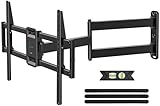
The USX STAR Corner TV Wall Mount Long Arm is the cheapest way into corner articulation in this list. It covers 55, 65, 70 and 75 inch TVs on a long full-motion arm, which means it is aimed squarely at large-screen owners who need corner reach but are working to a tight budget.
Key specs
- Screen range: 55–75 inch TVs
- Type: corner mount with long articulating arm
- Adjustment: full motion — tilt and swivel
- Mounting: single-stud corner plate
- Best for: budget corner installs on 55–75 inch screens
Strengths
This mount understands its audience. By covering only 55–75 inch screens, it avoids the need to build for small TVs and concentrates on the size band where corner mounting actually matters. The long arm delivers the reach you need to clear a corner wall, and full motion adjustment lets you aim the panel. It is the entry point for a genuinely functional corner installation, and for a buyer on a strict budget it does the core job. The caveat is the same for every budget long-arm mount: the less material in the arm and joints, the more the installation quality matters.
Pros
- Budget price tier for a long-arm corner mount
- Purpose-built for 55–75 inch TVs
- Full motion tilt and swivel
- Does the essential corner job at low cost
Cons
- Least build margin of the corner mounts here
- Heavy 75-inch panels will stress it more than a premium arm
- Single-stud anchor must be perfect
- Accept more flex and adjustment drift than with premium arms
How it compares
Against the BONTEC, the USX STAR costs less and covers a narrower screen band. If budget is the binding constraint and the TV is a 55- or 65-inch model, this is the sensible corner pick. If the TV is a heavy 75-inch panel, spend up to the BONTEC or Perlegear and get the extra construction margin.
How to Choose a Wall Mount for a 75-Inch TV
A 75-inch TV is where wall-mount buying gets serious. The panel is large enough that the wrong mount becomes visible — sagging, drooping, or refusing to hold an angle — and heavy enough that installation quality starts to matter as much as the product itself. Here is how to work through the decision in order.
Start with your TV’s actual weight
Weight is the first number, and it is the one buyers skip. A 75-inch LED TV typically lands somewhere in the 60–75 lb range for the panel alone, while mini-LED and full-array backlit models can run heavier, sometimes 80–90 lbs or more. Subtract the stand weight when you check the spec, because the stand does not go on the wall. Then compare that figure against the mount’s rated capacity and look for at least a 2x margin. A mount rated at 150 lbs holding a 70 lb TV is comfortable. A mount rated at 66 lbs holding a 70 lb TV is a return waiting to happen. Margin is not wasted capacity; it is what keeps the articulating joints stiff and the tilt from creeping after a year of use.
Check the VESA pattern — and its extremes
VESA is the bolt-hole spacing on the back of the TV, expressed as horizontal × vertical in millimeters. A 75-inch TV commonly uses patterns like 400×400, 600×400 or 600×400 and larger, but sizes vary by brand and generation, so measure the holes or check the manual rather than assuming. Most mounts list a VESA range such as “fits 200×200 up to 600×400.” Your pattern must fall inside that range, and both the horizontal and vertical numbers must fit — a mount that covers 600 wide but only 400 tall will not fit a 600×500 panel. Larger panels increasingly use wider horizontal spacing, so a mount with generous VESA coverage is the safer buy and the one that survives an upgrade.
Confirm the stud spacing your bracket fits
Standard wood-stud framing in North America places studs 16 inches on center, with 24 inches on center also common. A wall plate designed for 16-inch spacing has holes that land on both studs; a plate designed for 24-inch spacing has holes wider apart. Some mounts accommodate both via slotted plates. If your plate’s holes do not line up with your studs, you are into the territory of drilling new holes, adding a plywood backer, or using heavy-duty toggle anchors — all of which reduce the margin the mount was designed with. Measure stud locations before you buy, not after the box arrives. In older homes, studs may sit at irregular intervals, and a plate with a narrow hole pattern can leave you unable to hit two of them.
Decide how much extension you actually need
Fixed mounts sit nearly flush. Tilting mounts pull out a few inches. Full-motion articulating mounts typically extend 15–28 inches, with long-arm corner designs going further and specialized corner arms reaching 30–33 inches. More extension means more reach, more viewing flexibility, and more torque on the wall plate. A 75-inch panel at the end of a 28-inch arm is a long lever, which is why heavy-duty mounts pair long reach with high weight capacity. If the TV will sit against a flat wall and you only need glare correction, a tilting mount is lighter, cheaper and more rigid. Buy extension only if the room layout actually demands it.
Tilt, swivel and what they solve
Tilt adjusts the vertical angle and addresses glare from windows and ceiling lights, plus modest height differences between the TV and the seating. Swivel rotates the screen horizontally and solves multi-zone rooms — a kitchen and a sofa, or two sofas at right angles. For a 75-inch screen, tilt range of roughly 5–15 degrees is typical, and swivel range commonly runs from about 45 to 90 degrees each way on full-motion mounts. Remember that swivel angle shrinks as the TV gets wider: a 75-inch panel needs more clearance to rotate the same number of degrees as a 55-inch one, and a long arm is what buys that clearance.
Match the mount class to your situation
| Your situation | Mount class to pick | Why |
|---|---|---|
| Heavy 75-inch mini-LED or full-array TV | Heavy-duty full motion with 200 lb+ rating | Large weight margin keeps joints stiff; long extension rated for the load |
| Light 75-inch LED, flat wall, tidy look | Ultra-slim articulating or low-profile tilt | Slim folded depth; full motion still available where needed |
| TV must go in a corner or beside a fireplace | Long-arm corner mount, 30 in+ reach | Clears the adjacent wall and aims the panel into the room |
| Renting, or no accessible studs | Studless bracket rated above your TV’s weight | No drilling; wide backing plate spreads load across the wall |
| Two seating zones, TV on a normal wall | Full-motion articulating, 15–28 in extension | Swivel serves both zones; moderate extension avoids excess torque |
| Bedroom, fixed viewing position, low budget | Fixed or tilting mount | Cheaper, more rigid, and no articulation you will not use |
Understand the installation requirements before you buy
Every mount in this list assumes something about your wall. Heavy-duty and corner mounts assume a solid wood stud behind the plate and a lag bolt long enough to bite into it — typically 2.5 inches or more of thread in the stud. Studless mounts assume sound drywall, plaster or masonry, because the wall surface itself is carrying the load. Masonry installs need a masonry bit and appropriate anchors, and hollow-block walls need different hardware entirely. If your wall is anything other than standard drywall over wood studs, read the mount’s installation notes carefully. And use a proper stud finder, not a magnetic one that chases drywall screws — a misplaced lag bolt in a corner arm holding a 75-inch TV is the single most common way these installations fail.
The two-person rule and cable management
A 75-inch panel is a two-person lift, full stop. Mount the wall plate first with the TV off it, verify level, then attach the TV brackets to the back of the panel and lift it on together. Before the TV goes up, run your cables — HDMI, power, and anything else — because a 75-inch screen leaves very little room to reach behind it once it is close to the wall. If you are using a full-motion mount, leave enough slack in the cables to accommodate the arm’s full extension, and check the cables are not pinched when the mount folds flat. Cable pinching is a common cause of intermittent signal problems that look like a TV fault.
Budget versus capacity: where to spend
The cheapest place to save on a TV mount is in the size of the mount, not its quality. A well-built fixed mount for a 75-inch TV costs far less than a heavy-duty articulating arm, and if you do not need motion, you are not compromising. Where you should not save is on weight rating and stud anchoring. The mount is a fraction of the cost of the TV it holds, and the failure mode is the TV on the floor. Market price tiers run roughly $25–$60 for budget mounts, $50–$120 for mid-range, and $100–$250 for premium heavy-duty or long-arm designs. A mid-range mount installed perfectly into studs will outperform a premium mount installed badly.
Frequently Asked Questions
Can a 75-inch TV be mounted on drywall without studs?
Yes, but only with a purpose-built studless mount and only if the drywall is sound. Studless brackets spread the load across a wide backing plate rather than concentrating it on two bolts. The mount’s published weight rating is the limiting factor — look for one rated above your TV’s panel weight with margin to spare, such as a 150 lb bracket for a 70 lb TV. Check the wall for soft spots or water damage first, because a studless mount is only as strong as the drywall behind it.
What VESA size does a 75-inch TV use?
Common patterns for 75-inch TVs include 400×400, 600×400 and larger, but it varies by brand and model year. Rather than assuming, measure the horizontal and vertical distance between the mounting holes on the back of your TV and convert to millimeters, or check the specification in the manual. Then confirm your mount’s VESA range covers both numbers, not just the width.
How much weight can a wall mount safely hold?
The safe figure is the mount’s published maximum capacity, and you should aim to use no more than about half of it. A mount rated at 220 lbs holding a 70 lb TV is well inside its comfort zone; a mount rated at 66 lbs holding the same TV is not. Margin does double duty: it protects against the unexpected, and it keeps the articulating joints from sagging or drifting over years of use.
Do I need a long-arm mount for a corner?
Usually, yes. A standard flat-wall mount holds the TV only a few inches from the wall, which in a corner leaves the screen angled into the plaster rather than facing the room. A long arm of roughly 30–33 inches lets the panel clear the adjacent wall and rotate toward the seating. If your TV is on a flat wall with reasonable clearance, a long arm is unnecessary and adds leverage you do not need.
How far apart are studs, and will my mount fit them?
Wood framing is typically 16 inches on center, with 24 inches on center also common in newer construction. Mount wall plates generally have holes sized for one or both spacings, often via slotted holes. Measure your stud positions before ordering and compare them to the plate’s hole pattern. If they do not line up, you may need a wider plate, a plywood backer, or a studless design instead.
Can I mount a 75-inch TV above a fireplace?
It can be done, but two issues matter. The wall above a fireplace is often masonry or a framed chase rather than standard studs, which changes the anchoring entirely. And the viewing position is usually too high for comfortable watching, which is why corner and long-arm mounts are popular alternatives for fireplace rooms. If you mount above a fireplace, confirm what the wall is made of and use hardware rated for that substrate.
Is a full-motion mount worth it for a 75-inch TV?
It depends on whether you will actually move the TV. Full motion earns its cost in rooms with two seating zones, in corners, or where glare needs frequent correction. If the TV sits against a flat wall and always faces the same sofa, a tilting or fixed mount is cheaper, more rigid and less likely to drift. For a 75-inch screen, motion also requires more clearance to rotate, so a long arm may be needed to make full motion useful.
What tools do I need to install a 75-inch TV wall mount?
At minimum: a stud finder, a drill with the correct bit for your wall type, a socket set or wrench for lag bolts, a level, a pencil, and a tape measure. A masonry bit and appropriate anchors are needed for brick or concrete. Plan for two people to lift the panel, and run all cables before the TV goes on the wall. Check that your drill can drive the lag bolts fully into the stud — under-tightened bolts are a common failure point.
Final Recommendation by Situation
If you have a heavy 75-inch TV and a normal wall, buy the USX MOUNT Heavy Duty Full Motion — the 220 lb capacity and 28-inch extension give you margin and reach in one product. If your TV is on the lighter side for its size and you want it nearly flush, the Monoprice Ultra-Slim Full-Motion Articulating is the cleaner-looking choice, provided your panel’s weight sits comfortably under 66 lbs.
If the TV has to go in a corner or beside a fireplace, pick a long-arm corner mount: the Perlegear Corner TV Wall Mount for the heaviest panels, the BONTEC Full Motion Corner for a mid-range balance, or the USX STAR Corner if budget is the deciding factor and the TV is a 55–75 inch model.
If you cannot drill into studs — a rental, a stone fireplace wall, or metal framing — the Auoace No Stud TV Wall Mount is the pick for a full-size 75-inch panel thanks to its 150 lb rating, while the EZISE Studless is the tidier, lower-profile option for a lighter TV in a bedroom or secondary room. In every case, check your panel’s actual weight and VESA pattern before ordering, and anchor the mount properly — that step matters more than which bracket you choose.