What's inside
As an Amazon Associate I earn from qualifying purchases. This post may contain affiliate links at no extra cost to you.
Contents
Choose the metal and size before you prepare the portrait
For legible jewelry photo engraving, choose a smooth, light-colored metal and a pendant with at least 20 mm of usable engraving space; then crop the portrait tightly, preserve clear contrast, and confirm the engraving method is suited to that specific metal. Polished sterling silver or stainless steel usually shows facial detail more clearly than a dark, highly textured, or mirror-like surface, while a larger pendant gives the engraver more room for eyes, hair, and subtle shadows.
The result depends on more than the laser or engraving service. Metal reflectivity, coating, image quality, engraving area, and how the piece will be worn all affect whether a portrait remains recognizable. Use the comparison below to narrow down the right combination.
As an Amazon Associate we earn from qualifying purchases at no extra cost to you.
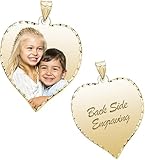

Metal finishes compared for portrait detail
| Metal or finish | Practical portrait area | Detail outlook | Wear considerations | Good fit for |
|---|---|---|---|---|
| Polished sterling silver | 20–30 mm pendant face | Good when the engraving creates a clear contrast; glare can make previewing tricky | Can scratch and tarnish; polish gently and avoid abrasive cloths on the engraved face | Classic keepsake worn occasionally |
| Brushed stainless steel | 20–30 mm pendant face | Often a useful balance of readable contrast and reduced glare | Generally resists everyday corrosion, but can still scratch; finish direction may show wear | Frequent wear and a practical budget |
| Gold or gold-filled, smooth finish | 20–30 mm pendant face | Can reproduce detail well, depending on alloy, finish, and engraving process | Gold is relatively soft; avoid hard knocks and abrasive cleaning | Higher-value gift with careful wear |
| Gold-plated or colored coating | 20–25 mm pendant face | Variable; the image may rely on removing or altering a surface layer | Coating can wear through, especially at edges and contact points | Occasional wear when the maker confirms the process and coating compatibility |
| Blackened or dark-finished metal | 22–30 mm pendant face | Potentially strong contrast, but fine facial tones may compress into dark areas | Dark finish may fade or polish away where the piece rubs | Graphic, high-contrast portraits rather than subtle tonal images |
These are practical planning ranges, not guarantees: the actual image area can be smaller than the pendant’s outside dimensions. Ask for the usable engraving area, not just the pendant diameter, and request a preview at the final size. If you are considering laser photo engraving on jewelry, confirm that the service has settings and experience for the exact alloy and finish. A laser can mark some metals directly, while other combinations may require a coating or a different process; “laser engraved” alone does not promise a particular contrast or depth.
Pick a pendant size that gives the face room
Small pendants are appealing, but a photo contains many fine transitions that shrink quickly. At around 15 mm, a face may still be identifiable, but eyes, mouth, and hair can merge into a few marks. Around 20–25 mm, a single well-cropped face generally has more room to read. A 30 mm or larger surface is a safer choice for two people, a pet with distinctive markings, or a portrait with important background detail.
Think in terms of the image area rather than jewelry size. A 25 mm round pendant with a 3 mm border has only about 19 mm of usable width. On a rectangle, corners may be clipped by rounded edges or a bail. Ask the maker to show the crop boundary on the actual design, including any border, hole, or attachment hardware.
| Usable engraving width | Best image choice | Design trade-off |
|---|---|---|
| 15–18 mm | One close-up face, centered | Little room for shoulders, background, or multiple subjects |
| 19–24 mm | One face or a tightly framed pet portrait | Good compromise between wearable size and facial detail |
| 25–32 mm | Two closely positioned faces or one face with a little context | More legible, but heavier and more noticeable on a fine chain |
Prepare a portrait that engraves cleanly
- Start with a sharp, well-lit original. Choose a photo where the eyes and facial outline are in focus. Soft window light is often easier to work with than deep shadows or direct flash. Avoid screenshots, heavily compressed social-media images, and photos that are blurry at the face.
- Crop for recognition, not scenery. Put the face near the center and remove empty background. For two people, keep their faces close enough to remain distinct at the finished size. Leave a small margin so the crop does not cut off hair, ears, or a meaningful feature.
- Check highlights and shadows. A bright face against a dark background is often easier to translate than a low-contrast image. Lift very dark areas enough to reveal eyes and hair, but do not brighten so far that skin and background become one pale field.
- Preview in grayscale at actual size. Many engraving workflows convert a photo into dots or tonal marks. Zooming in on a phone can hide the fact that a 20 mm pendant cannot preserve every eyelash or hair strand. Print or display the design at its intended physical size and look for recognizable eyes, nose, and jawline.
- Approve the material-specific proof. Ask whether the preview represents the actual metal, finish, and engraving process. Request clarification about contrast, crop, and any areas likely to fill in. Do not approve a proof that looks attractive only when enlarged.
Do not add a busy frame, long inscription, or decorative background until the portrait itself reads clearly. On a small surface, every extra element takes space away from the face. If adding a name or date, check that its letter height remains readable and that it does not crowd the crop.
Choose by how the piece will be worn
- For a daily-wear gift: Favor a sturdy pendant in stainless steel or another durable, compatible metal, with a simple shape and a finish the engraver can mark reliably. Keep it away from repeated friction with keys, tools, or other jewelry.
- For a traditional keepsake: Sterling silver offers a familiar look and can display a well-executed portrait beautifully. Expect occasional tarnish care and accept that soft metal can acquire scratches over time.
- For the smallest, most discreet pendant: Use one face, a close crop, and a high-contrast source image. Choose a larger surface if the person’s likeness depends on subtle expression or a distinctive background.
- For a coated or dark-finished design: Ask how the image is formed and what will happen if the coating wears. A dramatic initial contrast may change where the pendant rubs against clothing or skin.
- For a tight budget: Compare the total cost of the pendant, image setup, engraving, and any proof revision. A smaller pendant can cost less, but it is a poor saving if the portrait becomes too cramped to recognize.
Long-term wear: what changes first
Photo engravings do not all wear in the same way. A mark made into bare metal may remain visible while the surrounding surface collects scratches; a design that depends on a dark coating or surface layer may lose contrast if that layer wears away. On plated pieces, edges and raised areas are common places for the finish to thin. A shallow mark can also become harder to read if frequent polishing smooths its contrast.
For routine care, wipe the pendant with a soft, clean cloth and follow the maker’s instructions for that metal and finish. Avoid abrasive compounds, stiff brushes, and aggressive polishing on the photo area. Remove jewelry before swimming, using cleaning products, or doing work that could cause impact or abrasion. Store it separately so chains and other pieces do not rub against the engraved face.
Before ordering, ask the maker these practical questions: Is the image engraved into the base metal or a surface coating? Is the pendant solid, plated, or coated? Can the engraving be refreshed if contrast fades? What cleaning method is safe? Clear answers matter more than a highly enlarged preview.
Bottom line
For the best chance of a recognizable portrait, choose a smooth, light or reliably high-contrast finish, aim for at least 20 mm of usable engraving width, and submit a sharp close-up that still looks clear at actual size. Choose 25–30 mm when the image includes two subjects or depends on fine expression. Match the engraving process to the exact metal, approve a true-size proof, and consider how the finish will age with regular wear. Those choices do more for a lasting likeness than adding extra decoration or selecting a pendant by outside dimensions alone.